What's new: two-factor sign-in, a download log, Trash and more
A round-up of what's changed on Send Shed this month, beyond the new secret notes, peer-to-peer sending, encrypted file requests and passphrase links, which have their own posts.
Your account
- Two-factor sign-in. Turn it on in your account with any authenticator app (Google Authenticator, 1Password, Authy, Bitwarden and others). Every way of signing in then asks for the 6-digit code, and you get 10 single-use recovery codes in case you lose your phone.
- Sign-in history. See recent sign-ins, and sign out of every other device in one click.
- Change your email or password, or delete your account and everything in it, from your account page.
Your files
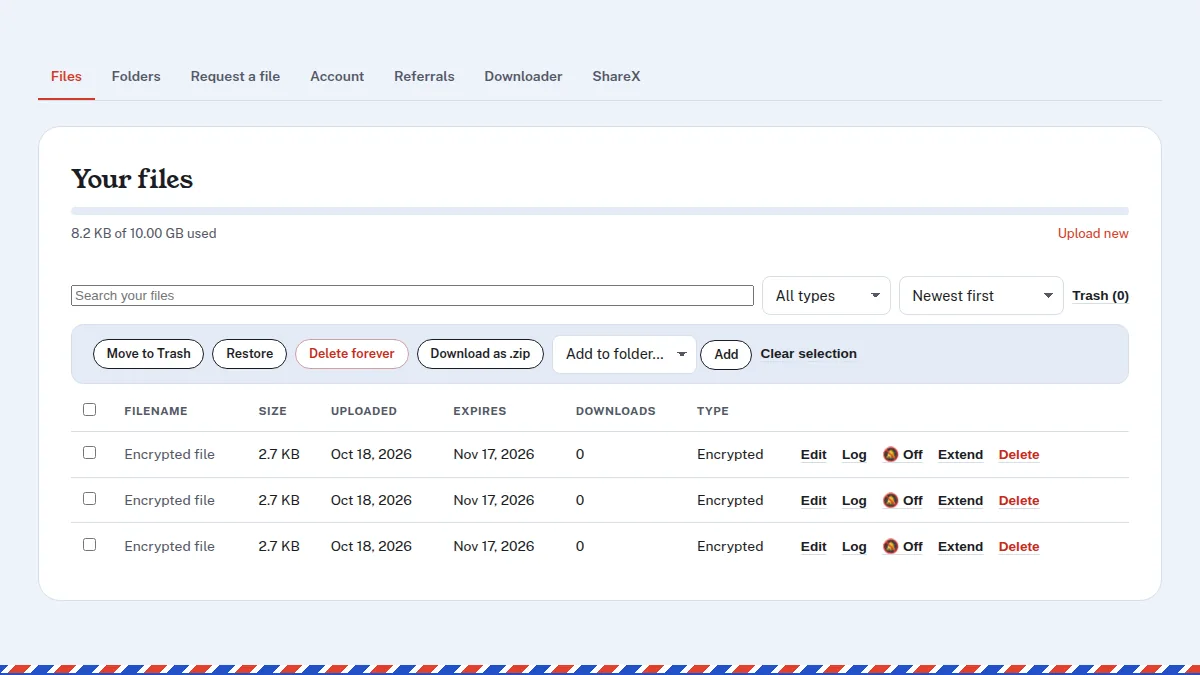
- Download log. Each of your files keeps a record of its last 500 downloads: when, and on what kind of browser and device. No IP addresses are stored. A 30-day chart shows downloads and which sites sent people. Turn on the bell to get an email when someone downloads it (at most one every 10 minutes per file).
- Trash. Deleted files go to Trash and stop working at once. Restore one within 7 days to bring its link back.
- Edit after upload. Change a file's name, password, who can download it, download limit or expiry without uploading it again.
- Find things faster. Search, sort and select several files to delete, move to a folder, or download together as a .zip.
- Better previews. Download pages now list what's inside a .zip and show text and CSV files. MP4 and MOV videos are rearranged on upload so they start playing sooner.
- Audio gets a player. Shared audio opens in a listening panel with skip and speed controls, looping and keyboard shortcuts.
Folders
- Add a password or an expiry date to a folder, and let visitors download it all as a .zip.
- Share a folder with other Send Shed accounts, either to view or to view and add files. It shows up under Folders → Shared with me.
Image tools
- The compressor and converter can now resize: presets, 50% or 25%, or an exact width and height.
- Changing a setting redoes the images already in the list, and Compare shows before and after side by side.
- Both still run entirely in your browser; your photos aren't uploaded.
Also new
- Send Shed in more languages: the homepage, upload page and download pages are now in Español, Português, Français and Deutsch.
- API v1 covers files, folders and account info, for scripts and tools like ShareX. See the API docs.
- Request forms on your own site: embed a request link's upload form in any web page.
- Pages load faster, with fewer files to fetch and fonts that arrive alongside the page.
Earlier updates
- What's new: folders, videos that play in chat, ShareX and more
- New: upload files from the terminal with one curl command
- New: convert HEIC, WebP and AVIF images without uploading them
All of it, in one place
Every tool on Send Shed, from quick links to secret notes.
See all tools Create a free account