How to share a self-destructing file link
Most file links last forever by default: upload once, and the file is reachable until someone remembers to delete it. For anything meant for one person, once, that default works against you. A self-destructing link removes itself after it's been used, or after a set time.
What "self-destructing" means in practice
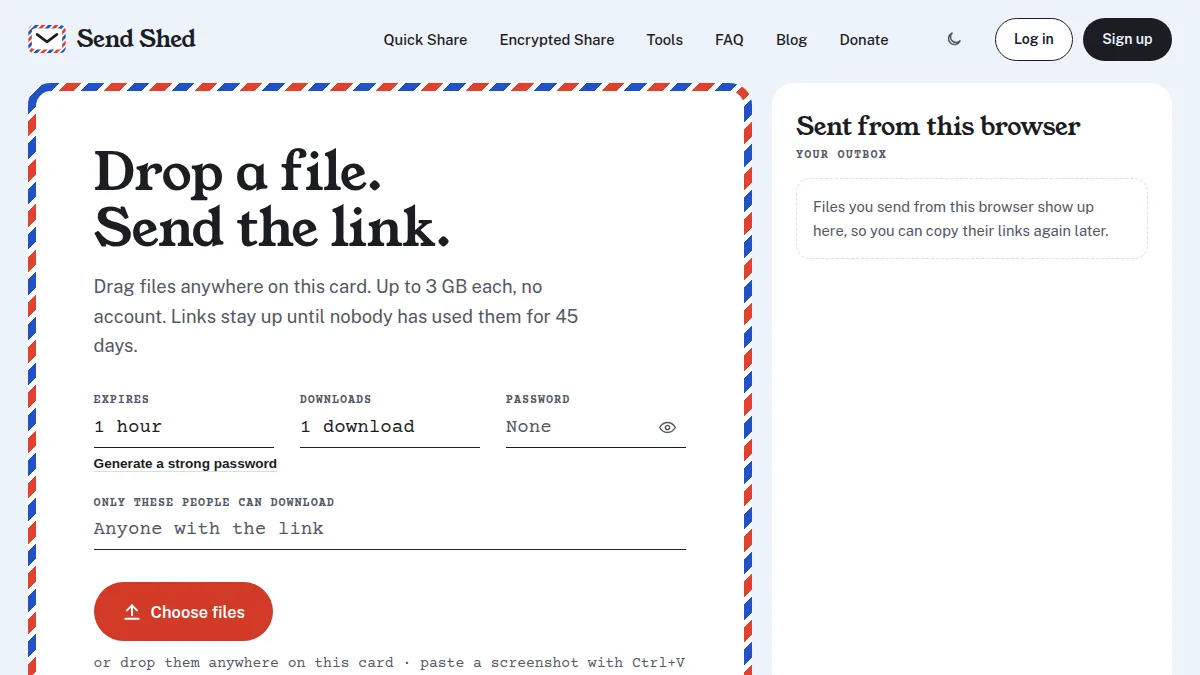
There's no single standard, but the useful version combines two limits, and whichever comes first ends the link:
- A download limit: the link stops working after it's been downloaded a set number of times. Set it to 1 for "burn after reading."
- An expiry: the link stops working after a set time, even if nobody opened it.
There's no cleanup step to remember. Once either limit is hit, the file is deleted and the link shows that it's gone.
How to send one with Send Shed
- Open Quick Share (no account) or Encrypted Share (free account, encrypted in your browser).
- Set Downloads to 1 download.
- Set Expires to 1 hour or 24 hours. Encrypted Share also offers 7 and 30 days.
- Optionally add a password, and send it a different way from the link.
- Upload and send the link.
Changed your mind? Quick Share gives you a delete link at upload; Encrypted Share files can be removed any time from your dashboard, which also shows each file's download log.
Pick the right kind of "self-destructing"
| What you're sending | Use | Why |
|---|---|---|
| A file, for one person | Quick Share or Encrypted Share with a 1-download limit | Gone as soon as they have it |
| A password, key or short message | A secret note | Encrypted in your browser and deleted the moment it's read |
| A huge file you don't want stored anywhere | Peer-to-peer sending | Goes browser to browser; nothing is kept |
What it can't do
- It can't stop a copy. Once someone downloads the file, they have it. A self-destructing link limits who can get it, not what they do afterwards.
- Link previews can count. Some chat apps fetch a link to show a preview. Send Shed's download page doesn't download the file until someone presses the button, so a preview doesn't use up a one-download link.
- The link is the key. Anyone who gets the link first can use the one download. For anything sensitive, add a password or a passphrase.
How the encryption itself works: zero-knowledge encryption, explained.
Quick answers
How do I make a file link expire after one download?
Upload with Quick Share or Encrypted Share and set Downloads to 1. The file is deleted after the first download.
Can someone still have the file after the link is gone?
Yes, if they downloaded it. The link stops further downloads; it can't remove copies people already saved.
How do I send a password that deletes itself?
Use a secret note instead of a file. It is encrypted in your browser and deleted the moment it's read.
Send something that doesn't linger
Set a download limit and an expiry in the same upload step. No cleanup later.
Quick Share a file Send a secret note