file.io alternative: same one-line upload, no ads
file.io made one idea famous: upload a file, share the link, and the file deletes itself once it's
downloaded. Its one-line curl upload ended up in scripts, plugins and automation tools
everywhere. Since file.io moved under LimeWire's plans, some of those integrations have broken. Here's
how it compares with Send Shed, and how to switch a script by changing one address.
What file.io offers today
- Delete after download. Files are removed once they're downloaded, and expire after 14 days by default if nobody does.
- No account to upload or download. Paid plans are sold as LimeWire plans.
- Free limits: file.io's homepage lists a 4 GB transfer cap. Third-party reviews describe the free tier as 2 GB per file with a 4 GB hourly allowance, and paid plans at $25 and $99 a month.
- Encryption: files are encrypted on file.io's storage and sent over HTTPS. That protects against stolen disks, but file.io holds the keys.
- An API that takes a file in one request and replies with a link.
Sources: file.io and Gappsy's file.io review, checked 18 October 2026. Prices and limits change; check file.io for current figures.
What changed for people using file.io's API
In January 2025, a user on the balena forums reported that file.io had "merged" with LimeWire and their upload script had stopped working; they moved to a different tool. A review on AlternativeTo says links got longer and the download page started showing unrelated products. Those are individual reports, not an official statement, but if a script of yours started failing around then, this is the likely reason.
Sources: balena forums: File.io alternatives; AlternativeTo: file.io.
Side by side
| file.io (free) | Send Shed Quick Share | Send Shed Encrypted Share | Why Send Shed | |
|---|---|---|---|---|
| Account needed | No | No | Yes, free | Quick Share needs nothing at all; a free account adds encryption and a dashboard. |
| Size | 4 GB transfer cap (homepage) | 3 GB per file | 5 GB per file | A single file up to 3 GB, with no hourly allowance to track. Bigger? Send it peer to peer, any size. |
| Deleted after download | Yes, by default | One tap, or any download limit | Optional download limit | Your choice: one tap for a single download, or 5 or 25, so a link can survive a colleague opening it twice. |
| How long files stay up | 14 days by default | While people use it (45 idle days), or 1 hour, 24 hours, 7 days | 1 hour to 30 days | Links can stay up while people keep using them, not just for a fixed window. |
| Password | Not mentioned on its homepage | Yes, free | Yes, plus an optional passphrase that locks the key | Free on every upload, plus a passphrase that locks the decryption key. |
| Who can read the file | file.io (encrypted at rest) | Stored unencrypted, screened | Only people with the link: encrypted in your browser | Encrypted Share is end to end: we never see the key, so we can't open the file. |
| Ads | Reports of unrelated content on download pages | None | None | No ads and no unrelated products on the download page, on any plan. |
| curl API | Yes | Yes, and it accepts file.io's request | Upload API with an account | Your file.io scripts work by changing one address. |
Switch a file.io script by changing one address
Send Shed accepts the same request file.io's API does. If your script runs this:
curl -F "file=@backup.tar.gz" https://file.iochange the address and nothing else:
curl -F "file=@backup.tar.gz" https://sendshed.com
The reply is file.io-style JSON, with success, key, link,
expires and maxDownloads, so code that reads .link keeps working.
As on file.io, the file is deleted after its first download. file.io's options work too:
-F expires=1d(or1h,1w): delete after this long, up to 7 days.-F maxDownloads=5: allow five downloads instead of one.-F autoDelete=false: keep the file after it's downloaded.
curl -LO or wget on the link downloads the file itself; a browser gets the download
page. Uploads are limited to 20 an hour from one address, the same as every anonymous upload. The
terminal upload page has the full option list and copy-paste recipes.
Where file.io is still the better fit
- Long-lived links on paid plans. file.io sells permanent storage and custom expiry well past 7 days. Send Shed's timed links stop at 7 days for Quick Share and 30 days for Encrypted Share.
- Existing integrations. If a tool you use has a built-in file.io connector that still works, there's no reason to move.
Which one to use
- A script that broke after the LimeWire change: point it at sendshed.com and keep the rest.
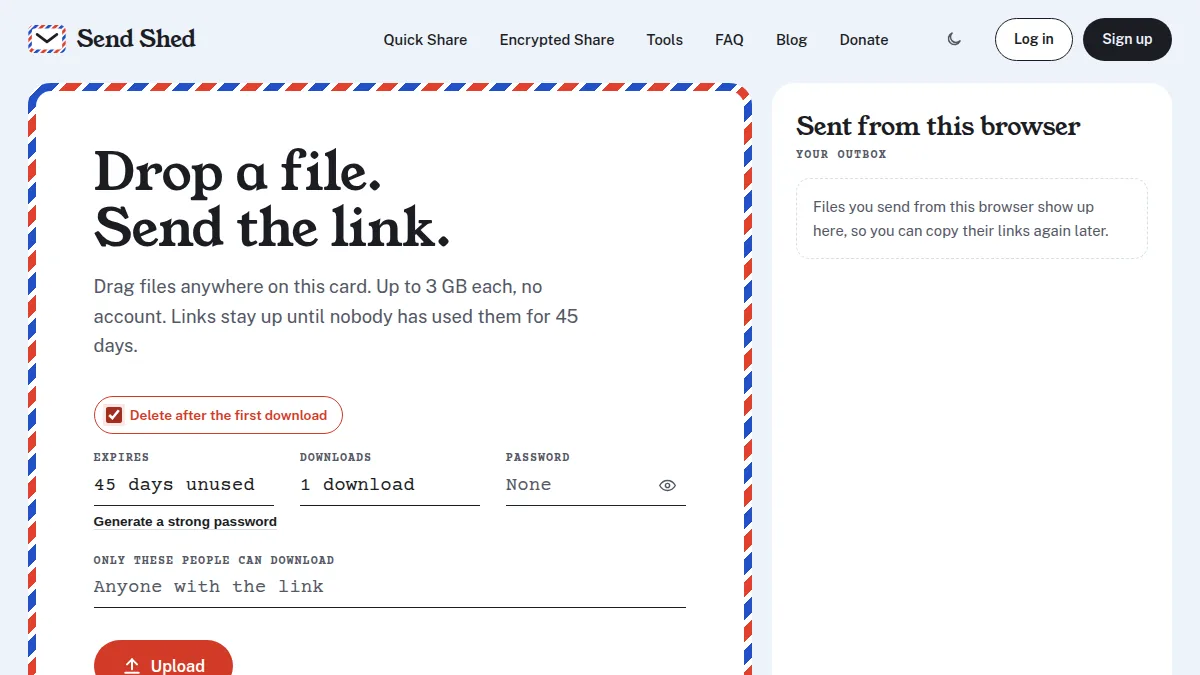
- A one-off file that should disappear once it's opened: tick "Delete after the first download" on the Quick Share card.
- Anything private (contracts, IDs, tax forms): Encrypted Share, so the file is encrypted before it leaves your device.
- A password or API key, not a file: a one-time secret note.
The most common switch: how Send Shed compares with WeTransfer.
Quick answers
Is file.io still working?
The site is up and offers free uploads alongside paid LimeWire plans. Some users reported their API scripts stopped working after the LimeWire change, around early 2025.
Can I use file.io scripts with Send Shed?
Yes. Send the same upload request to https://sendshed.com instead of https://file.io. The reply is file.io-style JSON with a link, and the file is deleted after one download unless you set maxDownloads or autoDelete=false.
Does file.io encrypt files end to end?
No. file.io encrypts files on its own storage, so it holds the keys. Send Shed's Encrypted Share encrypts files in your browser, so the service can't open them.
What is the file size limit on file.io?
file.io's homepage lists a 4 GB transfer cap on the free plan. Reviews describe 2 GB per file with a 4 GB hourly allowance. Send Shed's Quick Share takes up to 3 GB per file with no account.
Send a self-destructing link now
No account. Tick "Delete after the first download" and the link is gone once your recipient has the file.
Send a file Upload from the terminal